The PDF file size is too large, how can I get smaller size PDF reports?
When exporting PDF reports, sometimes carriers have file limits to what you can share. This article goes over how to tackle this.
Splitting the PDF
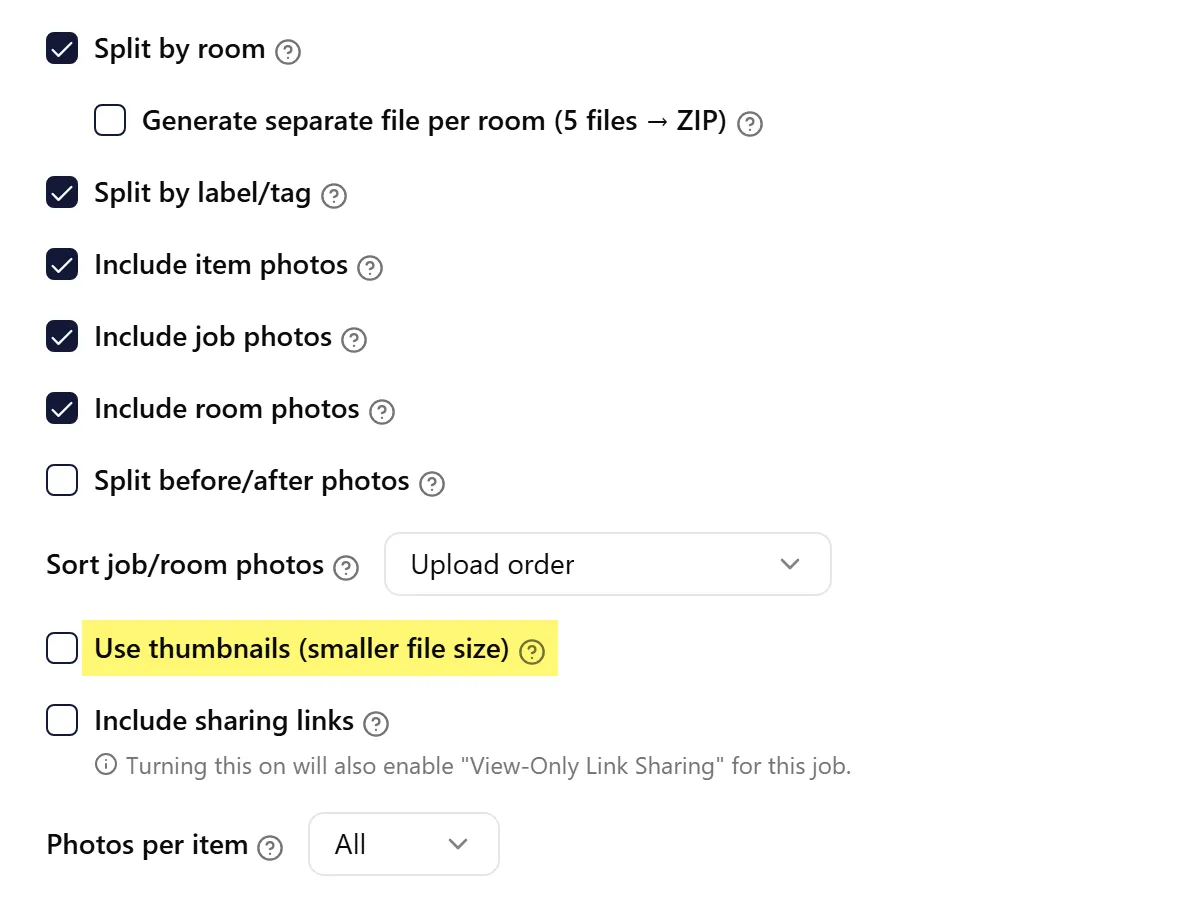
Section titled “Splitting the PDF”When you generate a PDF report with ContentsPal, you can split it into smaller files: turn on Split by room, then Generate separate file per room (shown when the job has more than one room). ContentsPal creates one PDF per room and emails you a ZIP file with all of them. You can also use the report’s filters (for example, by room or date) to generate several smaller reports.
However, certain carriers have different size limits to what you can send over. In those cases, even the smaller PDFs we generate, might be too large for them.
To tackle this, you can use DeftPDF that let you split the PDF into smaller files.
Smaller Image Size in Photo Reports
Section titled “Smaller Image Size in Photo Reports”When generating Photo Reports, turn on Use thumbnails (smaller file size) under Advanced Options, which greatly reduces the size of the resulting PDF file. Lowering Photos per item also helps.