How to View Policyholder Comments
Esta página aún no está disponible en tu idioma.
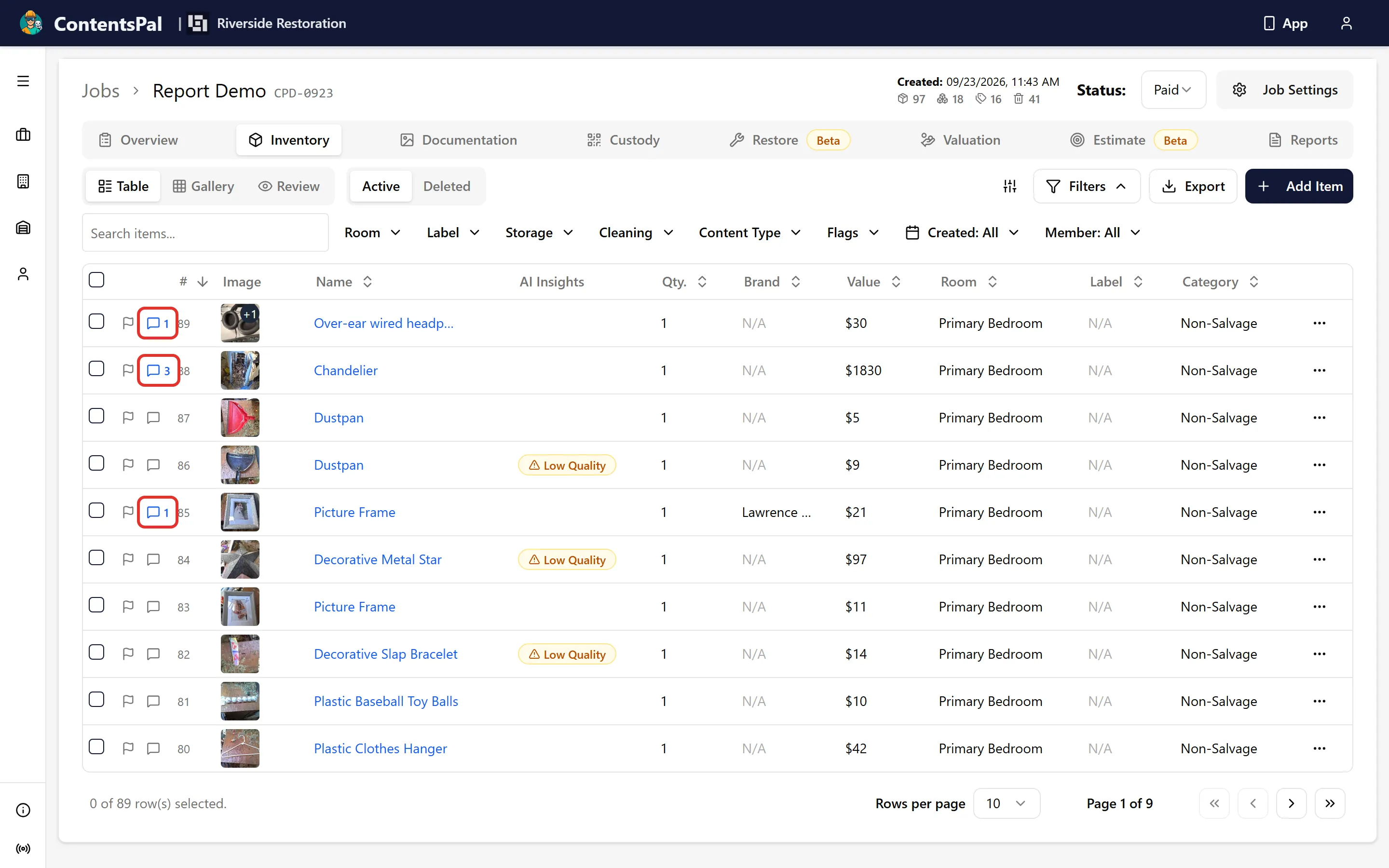
When a policyholder adds comments on items in the Job you can view the comments from the Inventory tab table. Once the job’s policyholder review link is enabled, each row shows a speech-bubble Activity icon; a number next to it counts the unread messages:
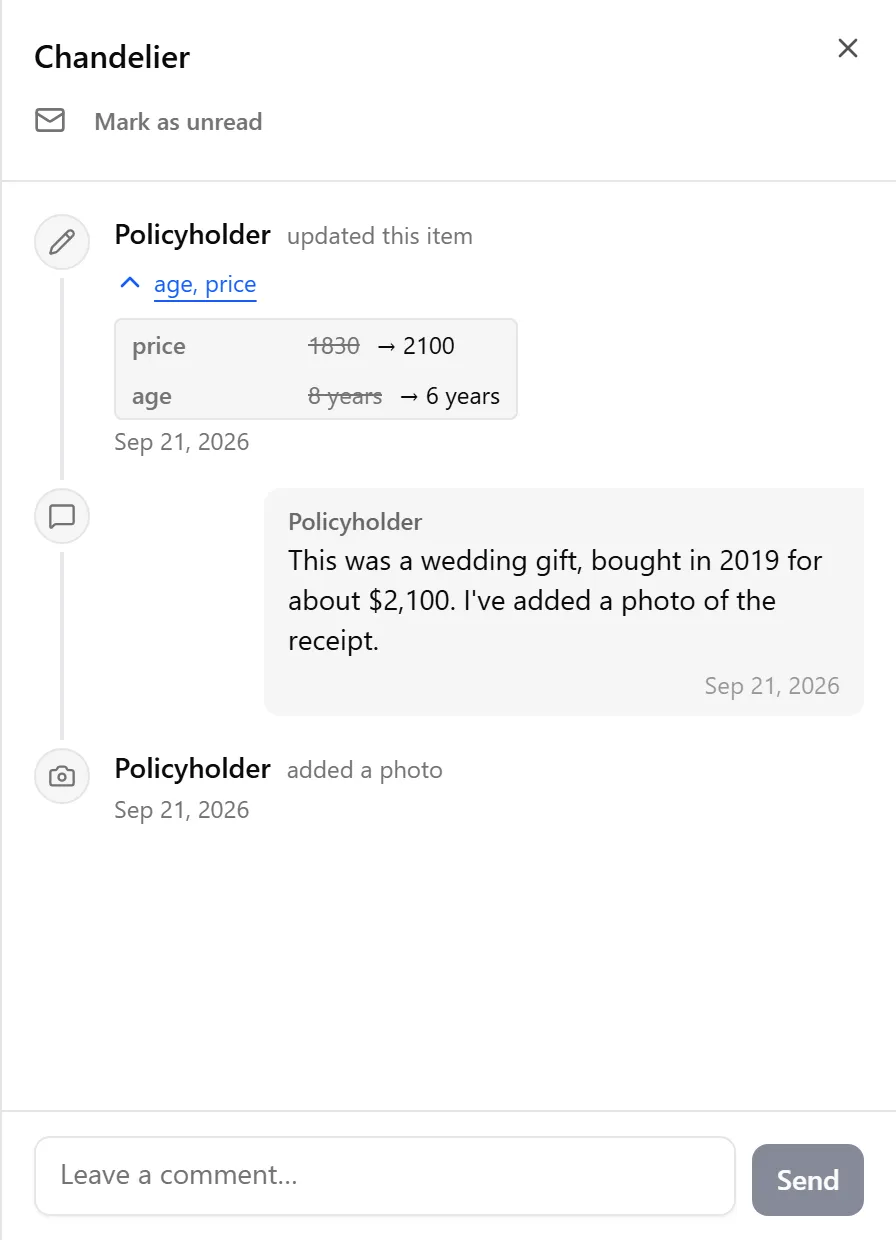
Clicking on the icon opens the item’s activity panel, showing the information the policyholder provided (comments, suggested edits, or added photos). You can reply from the same panel:
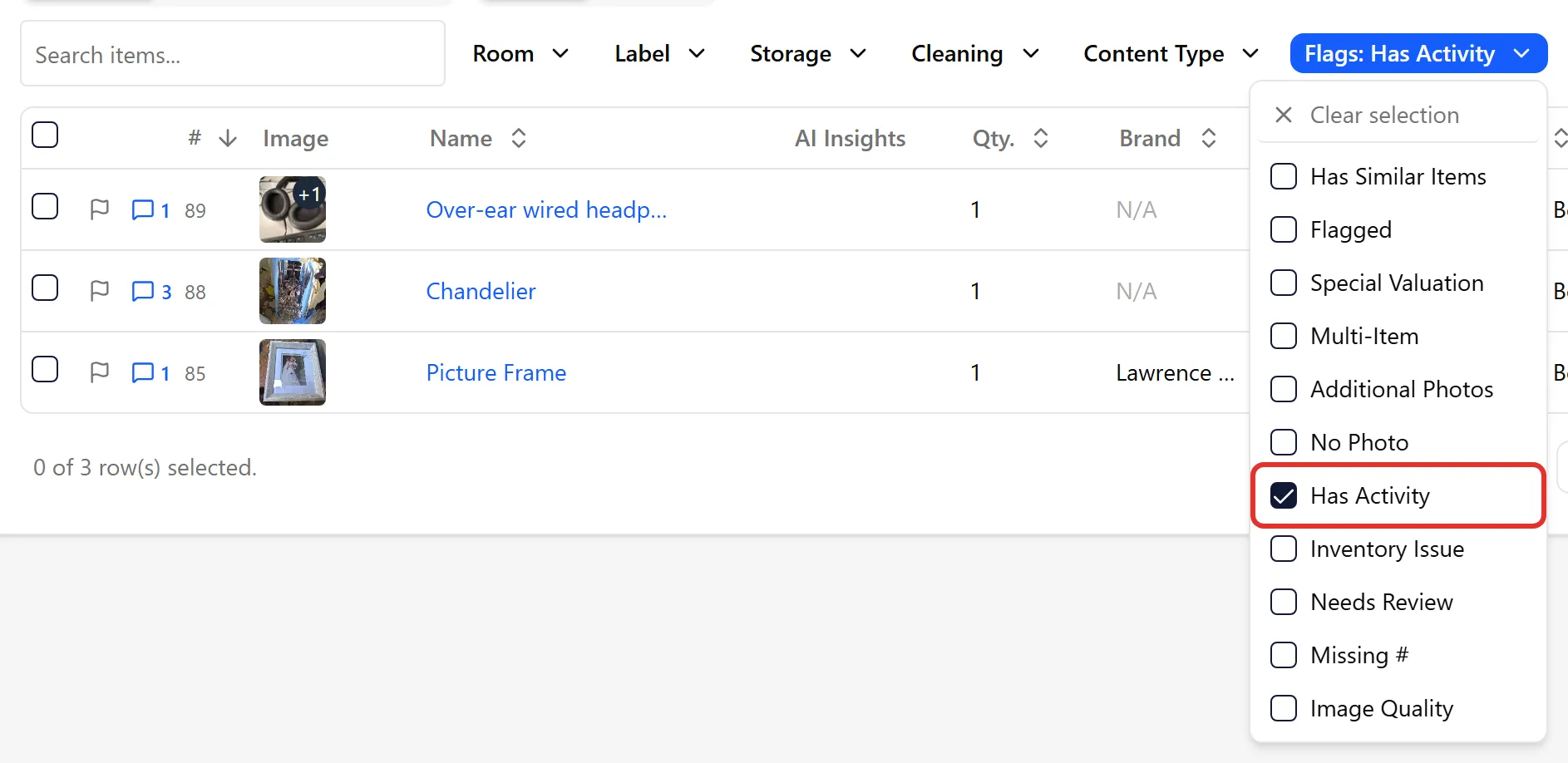
You can also filter the table to only show items with unread policyholder activity by choosing Has Activity in the Flags filter. To see items the policyholder added themselves, choose Policyholder in the Member filter: